An applicant tracking system that lives in your Salesforce org.
Job openings, applications, candidates and interviews on the platform you already run, with automated emails and public job pages that Google for Jobs can read. Installed directly into your org from the links below.
Install in production or developer org (opens Salesforce in a new tab) Install in sandbox (opens Salesforce in a new tab)
Free 30-day trial, no credit card. The Free plan continues after the trial with one user license.
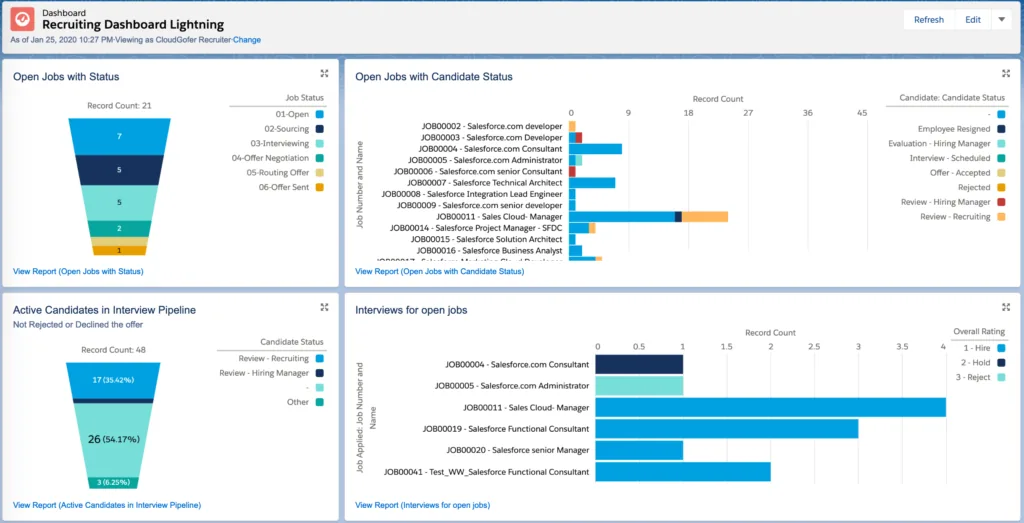
A well-defined recruiting process, end to end.
Manage and track
Job openings, applications and candidates in one place, with the stages and ownership your recruiters expect.
Applicant to candidate, automatically
Applications convert to candidate records without manual data entry.
Interview tracking
Schedule and track interviews per candidate so nobody slips through the cracks.
External job listings
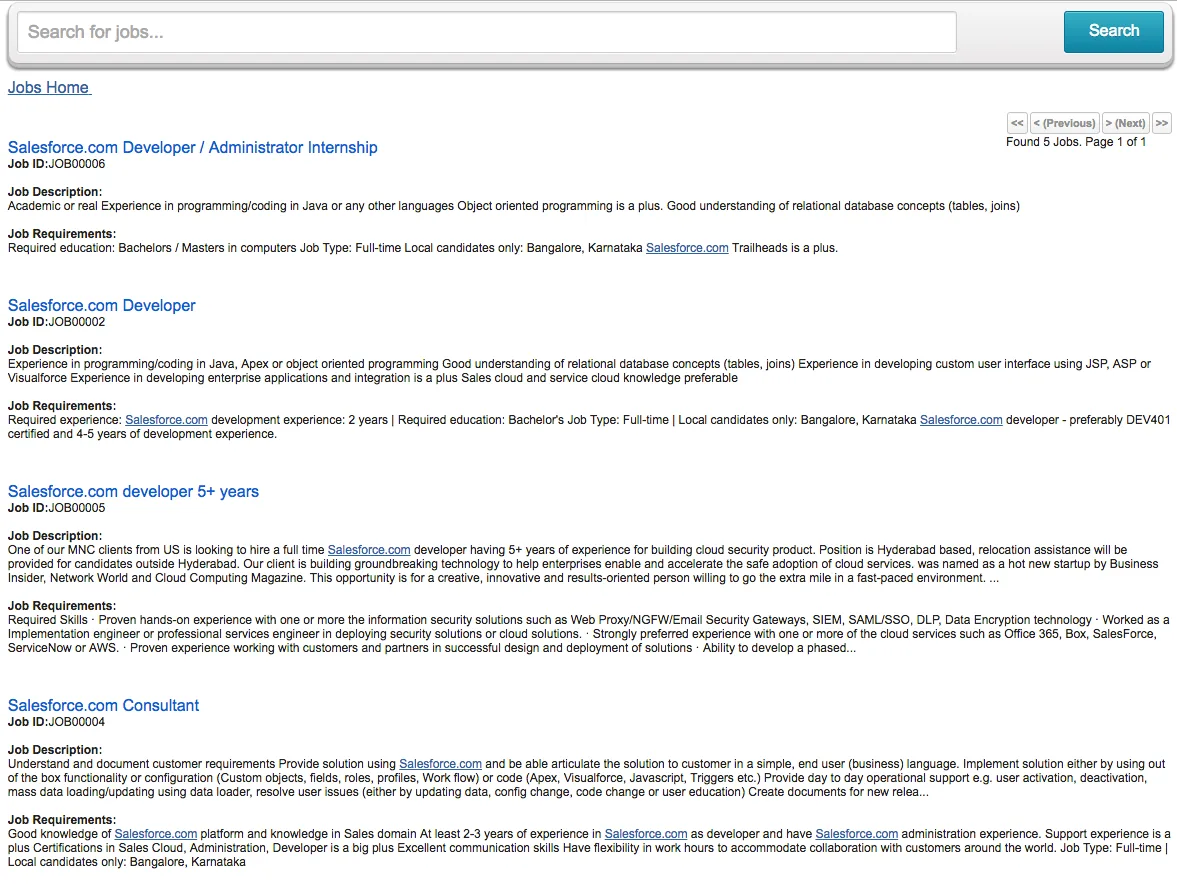
Publish openings on your website through Salesforce Sites, with job data structured for Google for Jobs.
Automated emails
Welcome new applicants and keep them updated on status without lifting a finger.
Your brand, your forms
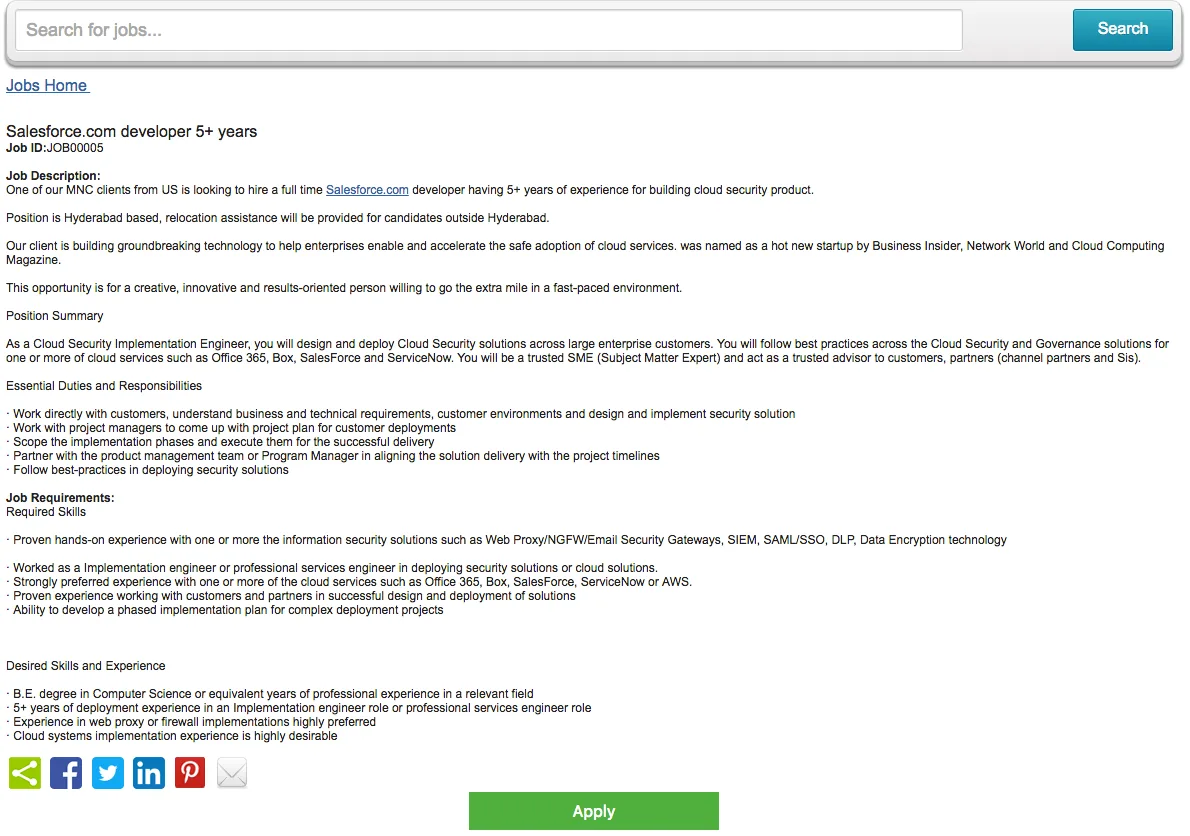
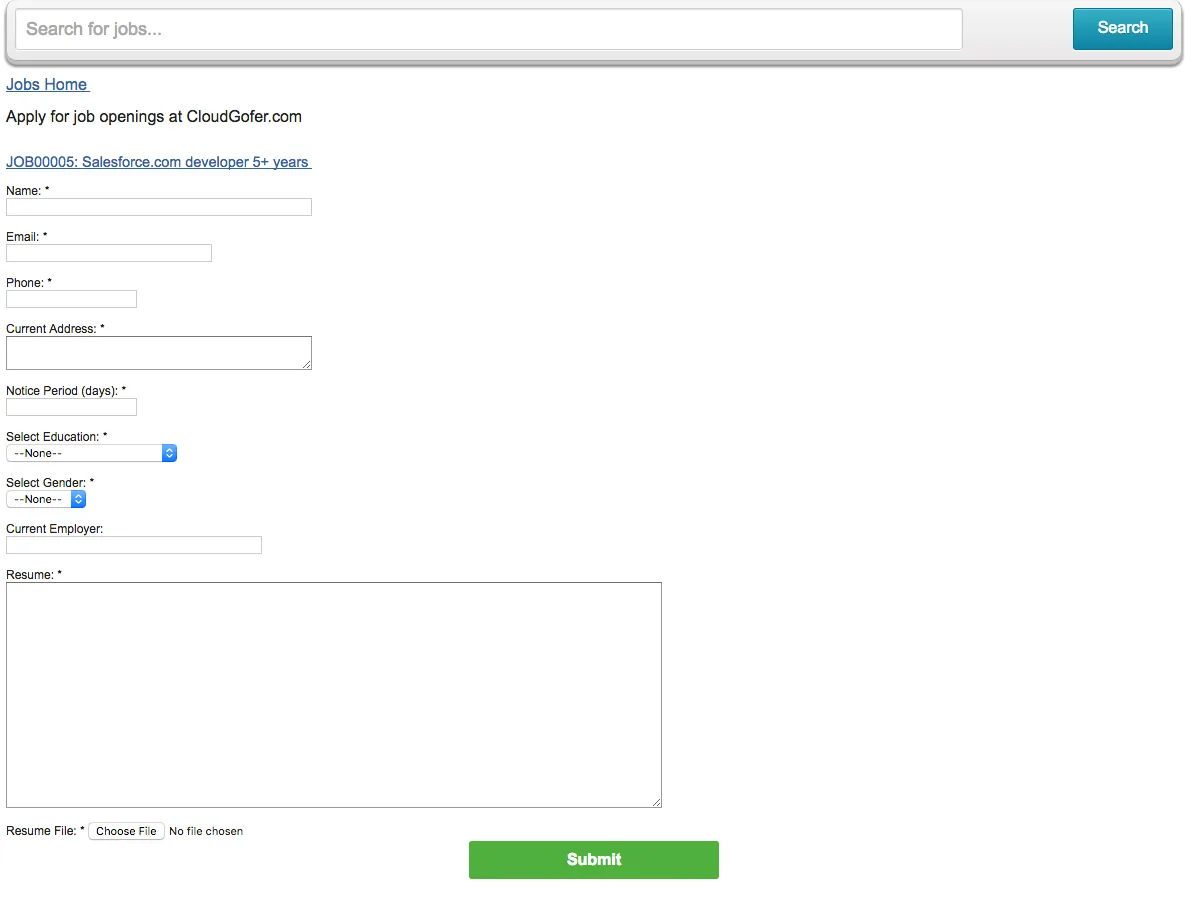
Customize the job display page and the apply form to match your website.
Reports and dashboards
A clear view of the recruiting pipeline, built on standard Salesforce reporting.
Native, so it fits
Standard objects, standard security, standard automation. Your admins already know how it works.
Start free. Pay per user when you need more seats.
$0
One user license, no time limit. Two free licenses for nonprofits.
$29 per user per month
Or $290 per user per year (two months free). An org is on either the Free plan or the Paid plan; licenses are not mixed.
50% off
On both monthly and yearly Paid plans, plus ten free licenses for qualifying organizations.
After purchase, licensing appears in your org within 24 hours. Send your org ID (Setup → Company Information) to support@cloudgofer.com with any pricing or payment question.
What your recruiters and applicants see.
Guides
Everything an admin needs to install, configure and extend the app, including the data model, flows and external job site setup.
Support and questions
Open a case through the support form, email support@cloudgofer.com, or talk to us before you install.
Let's look at your revenue process.
A free 30-minute call: we'll ask about your funnel and rhythm of business, look at your Salesforce setup, and tell you where we'd start.